Chatflow Builder
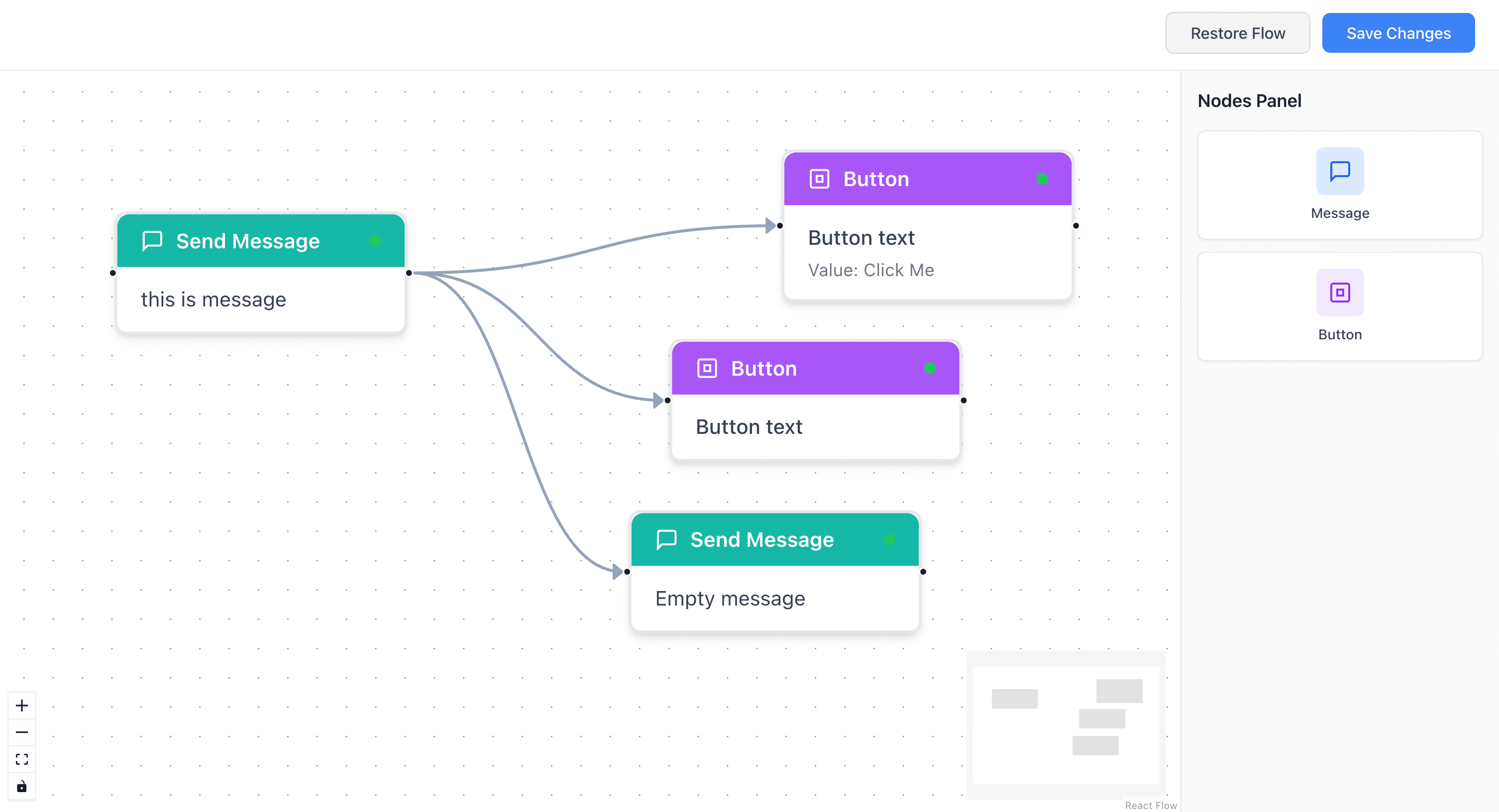
A drag-and-drop chatbot flow builder. Drag nodes, connect them, edit properties in real-time. Built with Next.js, React Flow, and TypeScript.

Rajat Mehra / 2025-11-15
2 min read • 330 characters
Why I Built This
I wanted to understand how node-based visual editors work - the kind you see in tools like n8n, Retool, or Figma's prototyping mode. React Flow was the library I kept seeing recommended, so I picked chatbot flows as the use case: small enough to finish, complex enough to learn from.
The goal was simple: drag nodes onto a canvas, connect them into a conversation flow, edit their content in real-time, and save the result.
Working Demo
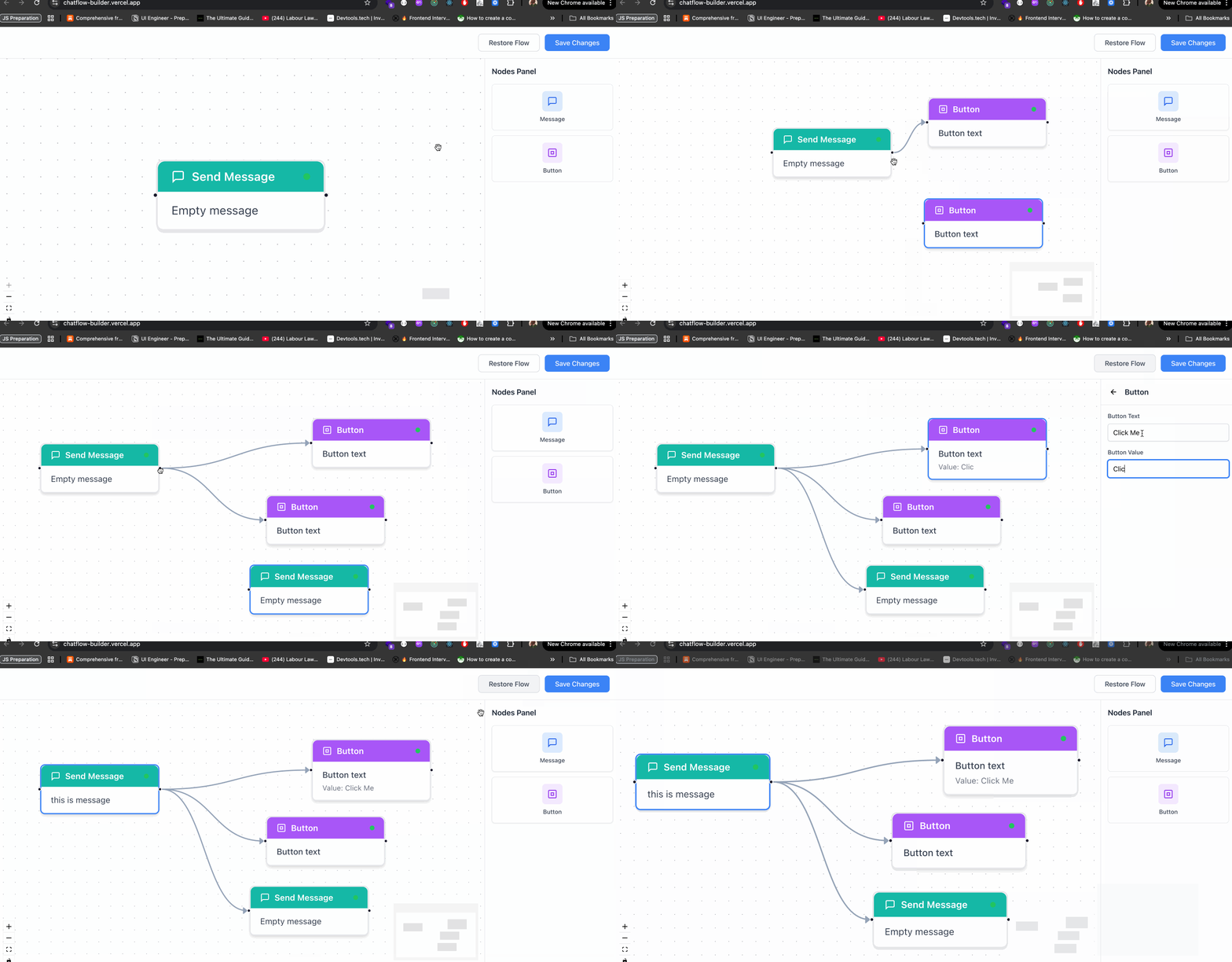
Drag nodes, connect flows, and edit properties in real-time.
Tech Stack
- Next.js 14 - React framework with App Router
- React 18 - UI library
- React Flow 11 - Node-based graph library
- TypeScript - Type safety
- TailwindCSS - Styling
Key Features
- Drag and drop - Add message or button nodes by dragging them from the panel onto the canvas.
- Visual connections - Wire nodes together by dragging from source to target handles.
- Live editing - Select any node and edit its properties in the settings panel. Changes reflect instantly.
- Auto-save - Flow state saves to localStorage automatically.
- Flow validation - Built-in validation checks that your flow is properly connected before saving.
- Two node types - Text message nodes for conversation content, button nodes for interactive choices.
- Pan and zoom - Navigate large flows with standard canvas controls.
What I Learned
React Flow handles the hard parts of node-based UIs - hit detection, edge routing, viewport transforms - but the data model is yours to design. Getting the node type system right (so adding a third or fourth node type is just a new component and a registry entry) took more thought than the visual layer itself. The lesson: in visual editors, the data model matters more than the rendering.