Website Highlight Saver
A Chrome extension for highlighting and saving text from any webpage. Select text, save it, summarize it with AI. Built with vanilla JavaScript and Chrome Manifest V3.

Rajat Mehra / 2025-08-28
2 min read • 374 characters
Why I Built This
I kept losing things I'd read. I'd find a great paragraph in a blog post or a key insight in a documentation page, and by the next day it was gone - buried in browser history or forgotten entirely. The usual fix is to copy-paste into a notes app, but that's three steps too many when you're mid-read.
I wanted something that lived inside the browser itself. Highlight text, click save, done. And if the passage was long, let AI summarize it so I could scan it later. This was also my way into Chrome extension development.
Working Demo
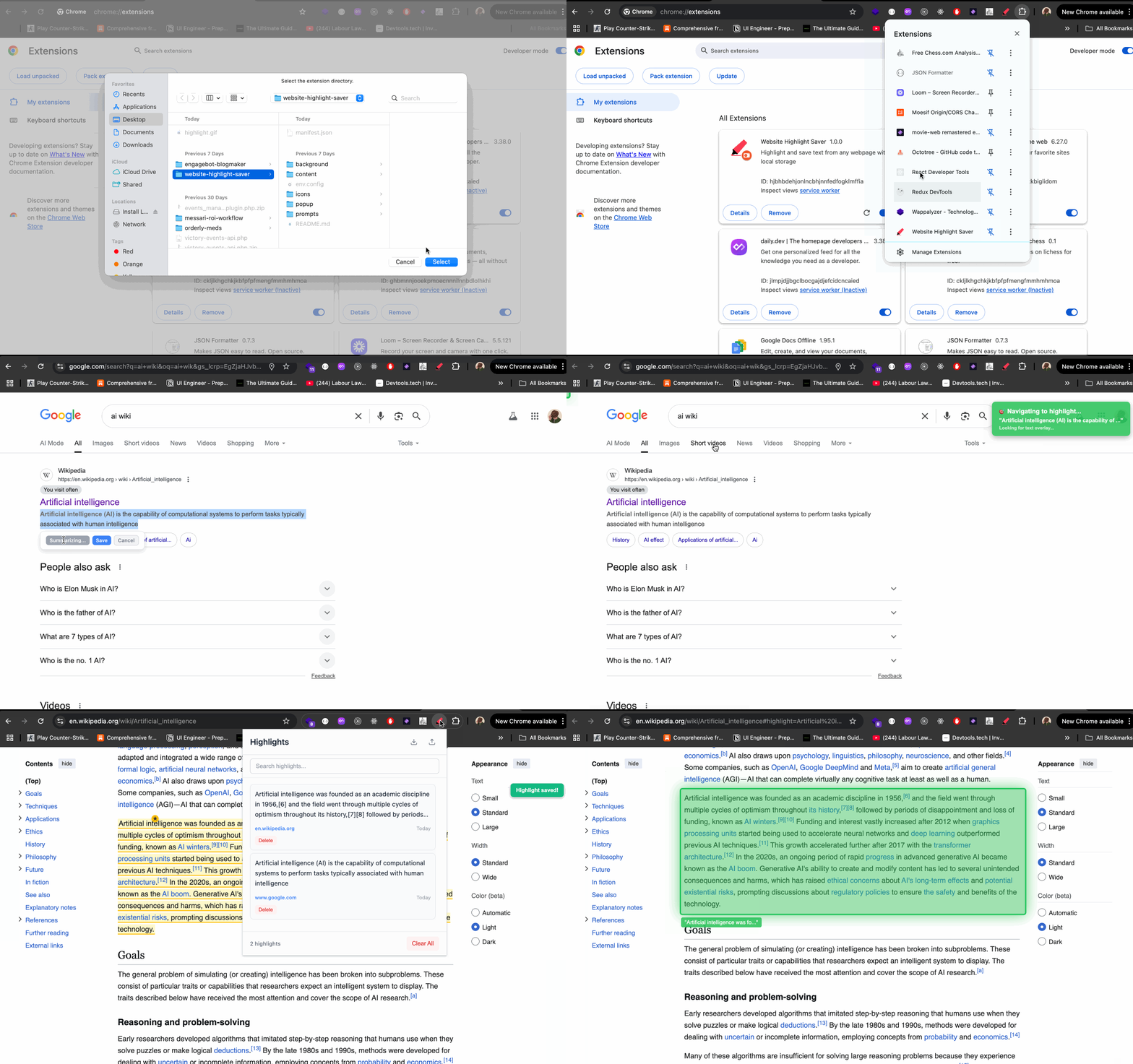
Select text, save highlights, and navigate between them.
Tech Stack
- Vanilla JavaScript - Core extension logic with ES6+
- Chrome Manifest V3 - Extension architecture and APIs
- Chrome Storage API - Local persistence for highlights
- OpenAI API - AI-powered text summarization
- HTML5 & CSS3 - UI and styling
Key Features
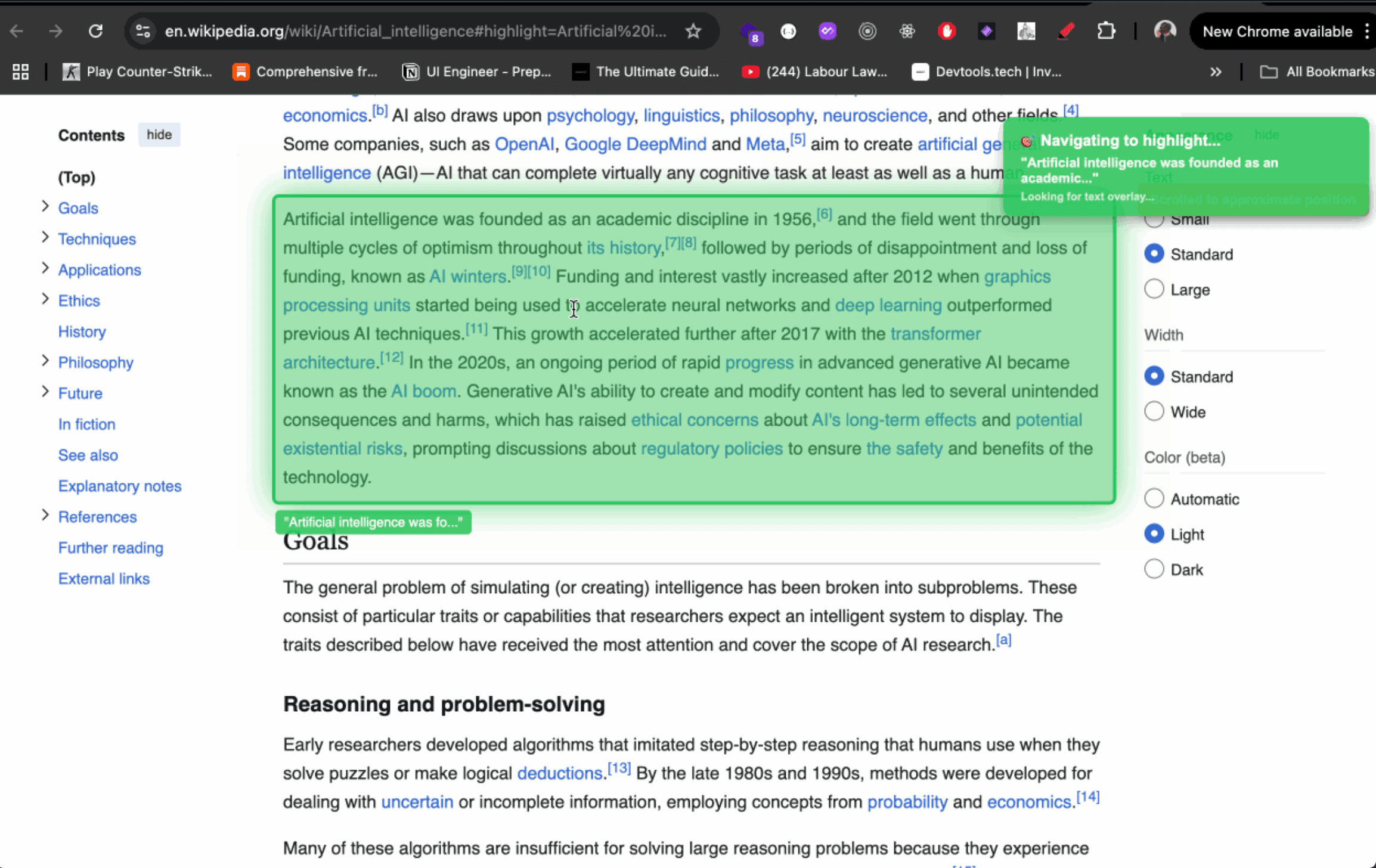
- Highlight anywhere - Select text on any webpage and save it with one click.
- AI summaries - Summarize long passages using OpenAI's GPT models.
- Search and filter - Find saved highlights by text, domain, or page title.
- Export/Import - Back up highlights as JSON. Restore them on any machine.
- URL navigation - Click a saved highlight to jump back to the exact page.
- Visual markers - Saved highlights appear with a yellow background so you know what you've already captured.
- Auto-cleanup - Old highlights expire after one year. Storage holds ~10,000 highlights in 5MB.
Why Vanilla JS
No React, no framework - just DOM APIs and Chrome's extension platform. A Chrome extension popup is a small surface. Adding a build step and a framework for what amounts to a list view and a few buttons would have been overhead without payoff. Going vanilla meant working directly with the Selection and Range APIs for text highlighting, TreeWalker for text node processing, and Chrome's storage and content script APIs - the kind of things a framework would have abstracted away.